You’ve found a Reel you want to save. Maybe it’s a tutorial, a product demo, a moment from a brand campaign you’re analyzing, or just something you don’t want to lose if the account disappears. The problem? Instagram doesn’t have a native download button for most content types.
So you search for a downloader — and suddenly you’re wading through a swamp of ad-heavy websites, sketchy pop-ups, and tools that stopped working three Instagram updates ago.
This guide cuts through that. Below, you’ll find the six best Instagram downloader tools in 2026, honestly compared — with a clear breakdown of what each one does well, what it doesn’t, and exactly who should use it. Whether you’re a social media manager archiving brand content, a creator curating references, or someone who just wants to save a video without drama, there’s a right tool for you here.
Last updated: June 2026. We revisit this guide monthly to account for Instagram’s frequent backend changes.
What to Look for in an Instagram Downloader
Before jumping into the tools, it helps to know what actually separates a good downloader from a frustrating one. Here’s what matters in 2026:
Output quality. The best tools fetch the original resolution — whether that’s 1080p or higher. Tools that compress or downgrade video are a waste of time.
Reliability. Instagram regularly updates its backend, which breaks poorly maintained tools. A downloader that worked last month may return errors today. Look for tools with active update histories.
Security. This is the one competitors almost never mention: some free downloader sites carry malicious ad scripts or redirect you to phishing pages. More on this below.
No-login requirement. Entering your Instagram credentials into a third-party site is a significant privacy risk. The best tools don’t ask for them.
Device compatibility. With mobile accounting for the majority of Instagram usage, a tool that only works smoothly on desktop isn’t good enough.
The 6 Best Instagram Downloader Tools in 2026
1. SaveFromIns — Best Overall for Most Users
If you want one tool that handles Instagram reliably without installation, SaveFromIns is the strongest all-around recommendation for 2026.
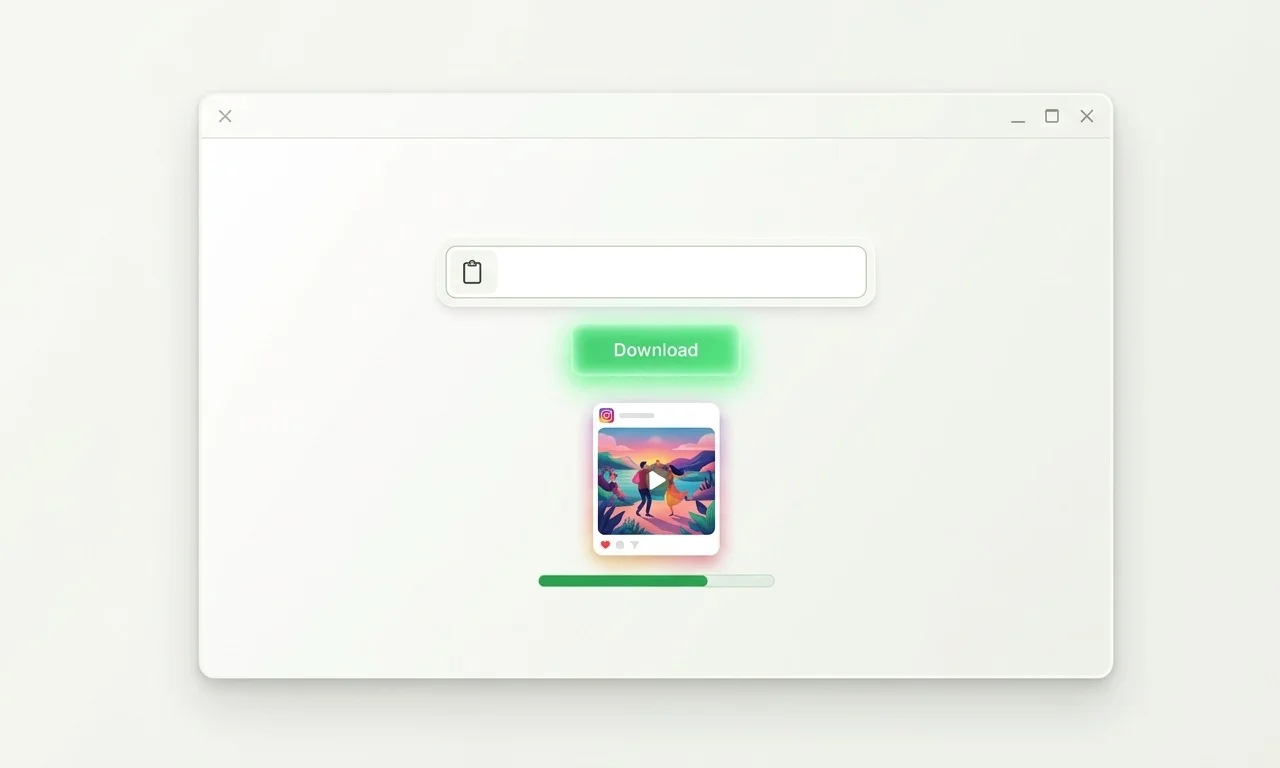
It’s web-based, which means no software to install and no storage used on your device. You paste a URL, it fetches the content, and you download. That simplicity is the point — and it’s executed well.
What makes SaveFromIns stand out beyond Instagram is its multi-platform support. The same interface handles video and audio downloads from a range of popular sites, which is genuinely useful if you’re managing content across multiple channels and don’t want a different tool for each one.
The interface is clean and free of the intrusive ad clutter that plagues many similar services. It consistently fetches the highest available quality, and it doesn’t require you to log into Instagram.
Best for: General users, marketers, creators who want a fast, no-fuss solution
Free or paid: Free
Login required: No
Mobile-friendly: Yes
2. 4K Stogram — Best for Bulk Archiving
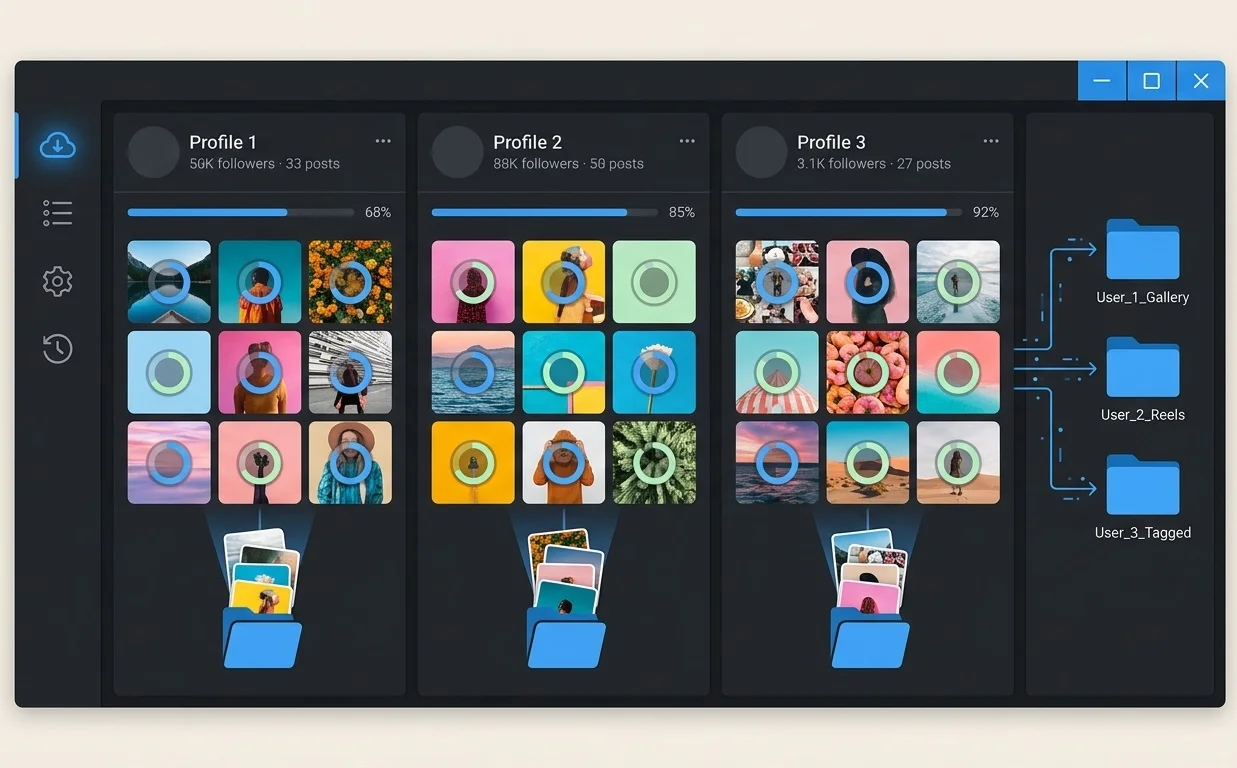
Most tools make you download content one post at a time. 4K Stogram does something fundamentally different: it lets you subscribe to Instagram profiles, hashtags, or locations, and automatically pulls new content to your hard drive as it’s posted.
That makes it a completely different category of tool — less “quick save,” more “ongoing archive.”
For social media managers running competitive analysis, agencies maintaining client content libraries, or researchers tracking public accounts over time, this is the most powerful option available. The desktop application (Windows, macOS, and Linux) runs quietly in the background and handles the heavy lifting without manual intervention.
The trade-off is cost and complexity. The full feature set requires a paid license, and the learning curve is steeper than a paste-and-download web tool. But if bulk downloading is your actual use case, no web-based tool comes close.
Best for: Agencies, researchers, power users managing large content archives
Free or paid: Freemium (paid for full features)
Login required: Optional (some features require it)
Mobile-friendly: Desktop only

3. SnapInsta — Best for Mobile Users
SnapInsta has made a clear strategic choice: optimize entirely for mobile. And in 2026, that’s a smart bet.
As a browser-based tool with progressive web app (PWA) capabilities, it runs like a native app on both iOS and Android without requiring an App Store download. The workflow is as simple as it gets — copy the Instagram link, paste it into SnapInsta, tap download.
It handles Reels and Stories particularly well, and its algorithm is maintained actively enough that download links stay functional even after Instagram’s backend updates. For users whose primary workflow is on their phone — and who want to save something quickly before sharing it on WhatsApp or Telegram — SnapInsta removes every unnecessary step.
It’s narrowly focused on Instagram, so don’t expect multi-platform support. But for what it does, it does cleanly.
Best for: Mobile-first users, casual saves, quick Reels archiving
Free or paid: Free
Login required: No
Mobile-friendly: Excellent
4. iTubeGo — Best for Format Conversion
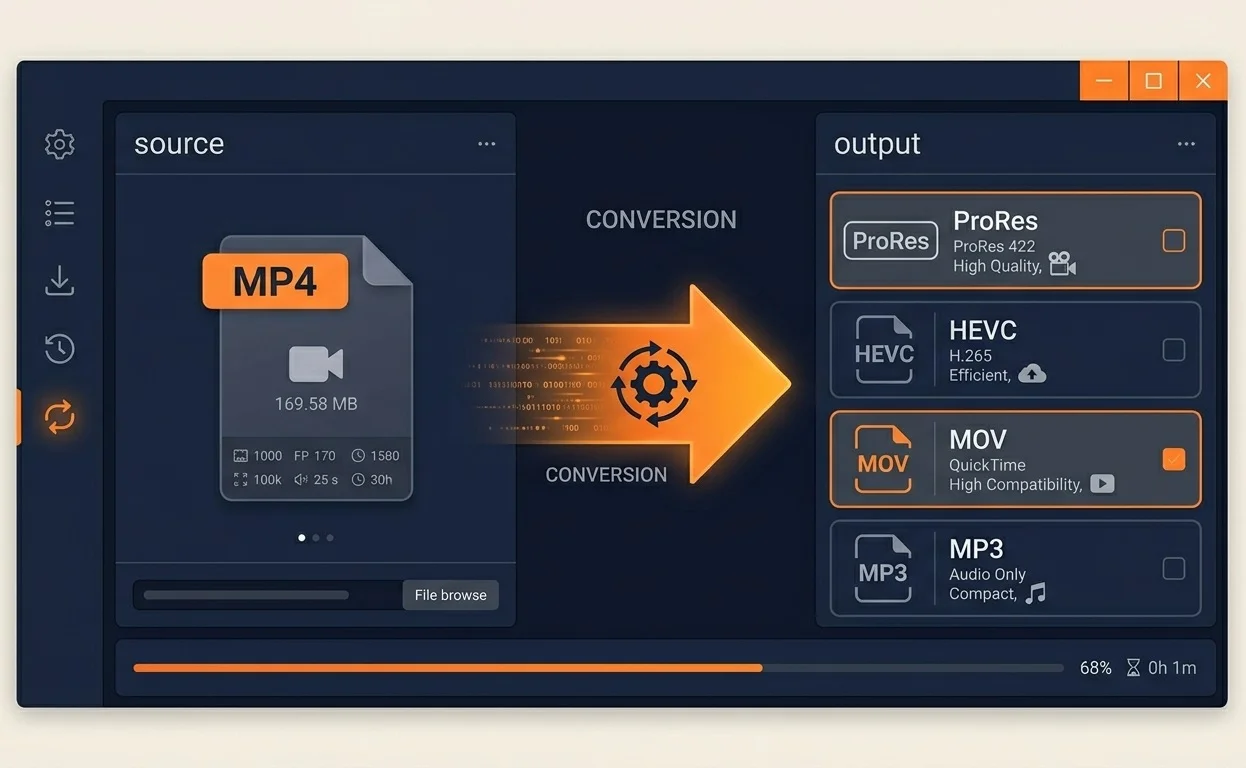
iTubeGo sits in a different lane from the others. It’s not just a downloader — it’s a desktop-based media converter that happens to support Instagram.
If you need an Instagram Reel in a specific format for video editing software — ProRes for Final Cut, HEVC for efficient storage, or even MP3 stripped from a video — iTubeGo handles those conversions directly. The 2026 version includes an in-app browser, so you can surf Instagram inside the software and click download without switching windows.
That’s genuinely useful for video editors and podcast producers who are pulling Instagram content into a professional workflow. The technical control is real.
The downside is that it’s paid software, and the additional complexity isn’t justified if you just want to save a video as-is. This is a specialist tool for specialist needs.
Best for: Video editors, podcast producers, anyone needing specific output formats
Free or paid: Paid
Login required: No
Mobile-friendly: Desktop only
5. Inflact Video Downloader — Best for Marketers
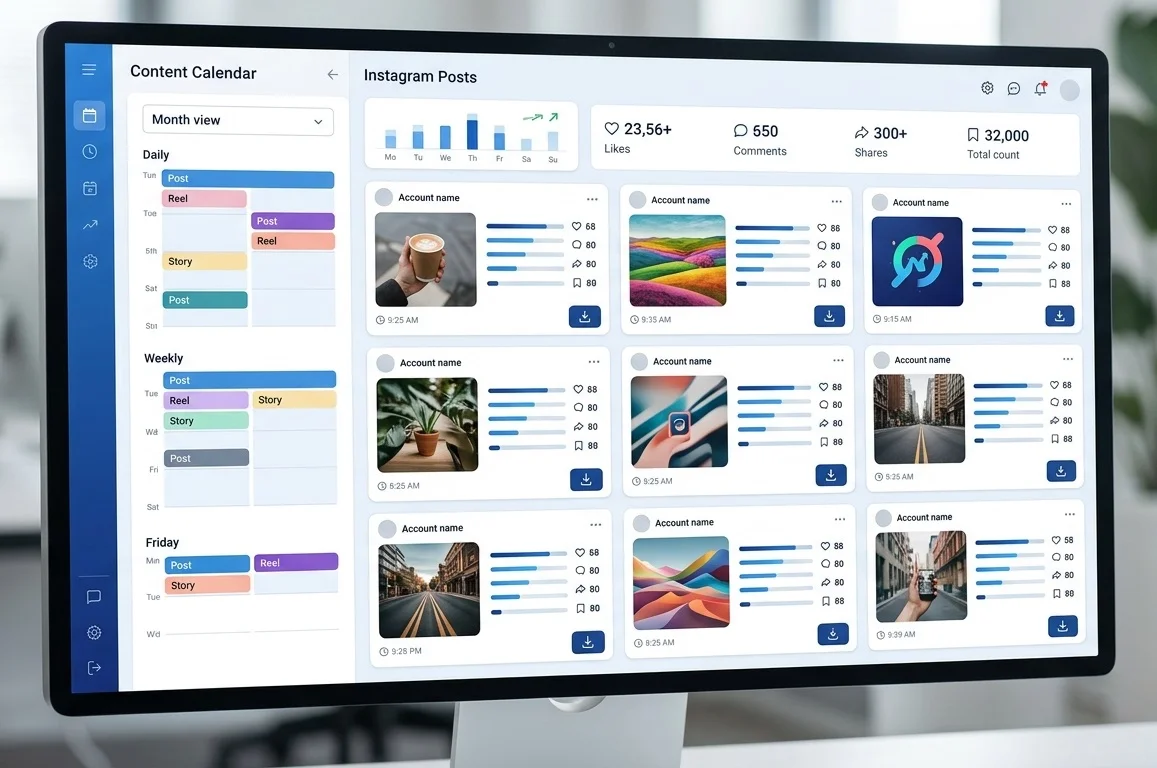
Inflact positions itself as a marketing toolkit, and its Instagram downloader reflects that. Beyond downloading, it shows post metadata — engagement context, content type, timestamp — which is useful when you’re doing competitive research rather than just saving content.
Its “Profiles Downloader” feature lets you pull an entire account’s content as a compressed file, which competes directly with 4K Stogram for bulk use. It’s web-based, which gives it an edge in accessibility, though the fastest speeds and some advanced features sit behind a paid tier.
For marketers who want downloading bundled into a broader tool they’re already using for analytics or scheduling, Inflact makes that consolidation easy. If your team also needs a clear review workflow for the content you save and repurpose, our guide to building a social media content approval process covers that end to end.
Best for: Social media marketers, competitive researchers, brand teams
Free or paid: Freemium
Login required: No (for public profiles)
Mobile-friendly: Yes
6. FastDL — Best Minimalist Option
FastDL earns its place on this list by doing exactly one thing without compromise: fast, high-quality downloads with no friction.
There’s no account, no upsell, no feature bloat. The interface loads quickly, even on slower connections, and it handles Instagram photo carousels particularly well — letting you download all images in a multi-photo post in a single action rather than one by one.
For users who find the other tools over-engineered for what they need, FastDL is the answer.
Best for: Occasional users who want speed and simplicity
Free or paid: Free
Login required: No
Mobile-friendly: Yes
Side-by-Side Comparison
| Tool | Type | Best Use Case | Free? | Login Required? | Mobile? | Multi-Platform? |
|---|---|---|---|---|---|---|
| SaveFromIns | Web-based | All-round use | Yes | No | Yes | Yes |
| 4K Stogram | Desktop | Bulk archiving | Freemium | Optional | No | No |
| SnapInsta | Web/PWA | Mobile saves | Yes | No | Excellent | No |
| iTubeGo | Desktop | Format conversion | Paid | No | No | Yes |
| Inflact | Web-based | Marketing/research | Freemium | No | Yes | No |
| FastDL | Web-based | Quick single saves | Yes | No | Yes | No |
Free vs. Paid: What Do You Actually Get?
Most people default to free tools, and for casual use, that’s completely reasonable. SaveFromIns, SnapInsta, and FastDL are all free and handle the majority of everyday download needs without limitations.
Where paid tools earn their cost:
- Automation and bulk downloads (4K Stogram’s auto-subscribe feature)
- Professional format conversion (iTubeGo’s codec and container options)
- Higher speeds and API access (Inflact premium tiers)
- Private profile access (only possible with authorized credentials through paid tools)
If you’re downloading the occasional Reel or saving posts for a personal mood board, there’s no need to pay. If you’re running an agency, managing a content library, or working inside a professional video production workflow, a paid tool will recover its cost quickly.
The Security Problem Nobody Talks About
Here’s what most Instagram downloader roundups skip entirely: some of these tools are genuinely unsafe.
The free web-downloader space has a long history of malicious ad networks, redirect scripts, and pages designed to look like download buttons but actually install unwanted software. Cybersecurity researchers, including analysis covered by sources like Norton and Malwarebytes, have flagged downloader-style sites as a frequent vector for adware and browser hijackers.
The tools on this list have been selected partly on the basis of clean, ad-safe interfaces — but a few practical rules apply regardless of which tool you use:
Never enter your Instagram password into a third-party downloader. No legitimate tool needs it to download public content.
Use an ad blocker. Even on reputable sites, third-party ad networks can serve malicious scripts. uBlock Origin (browser extension) is a reliable, free option.
Check the URL. Phishing sites often mimic the names of popular tools with minor misspellings. Bookmark the correct URL once you’ve verified it.
Be cautious with desktop installers. Web-based tools carry less risk than software you install. If a desktop app is required, verify the developer and check recent reviews before running any installer.
Is It Legal to Download Instagram Content?
This question deserves a direct answer, not a vague disclaimer.
Downloading for personal, private use — saving a video to watch offline, keeping a copy of your own posts, archiving content you’ve been given permission to use — sits in a legally grey zone in most jurisdictions. Instagram’s Terms of Service prohibit downloading content without authorization, but personal archiving for non-commercial purposes is widely practiced and rarely enforced against individual users.
What creates clear legal risk:
- Re-uploading someone else’s content to another platform without credit or permission
- Using downloaded content in commercial projects without licensing
- Claiming ownership of content you didn’t create
- Downloading and redistributing private or restricted content
Under U.S. copyright law and DMCA guidelines, the creator of a piece of content holds copyright from the moment it’s created — even if it’s posted publicly on Instagram. “Publicly visible” does not mean “free to use.”
The practical guidance: download for inspiration, research, or personal archiving. Always seek permission before re-publishing. If you’re using content commercially, get a license or explicit written consent.
For a deeper look at this topic, see our guide: [Is It Legal to Download Social Media Content?]
How to Download an Instagram Video (Step by Step)
Using SaveFromIns as the example — the steps are nearly identical across all web-based tools on this list.
Step 1: Open Instagram and navigate to the post, Reel, or Story you want to save.
Step 2: Tap the three-dot menu (···) on the post and select “Copy Link.” On desktop, you can copy the URL directly from your browser’s address bar.
Step 3: Open SaveFromIns in a new browser tab.
Step 4: Paste the copied link into the input field and click the download button.
Step 5: Select your preferred quality (highest available is recommended) and save the file to your device.
The whole process takes under 30 seconds for a standard video. Stories require you to act before they expire — they won’t be retrievable after 24 hours.
Conclusion
The best Instagram downloader in 2026 isn’t the one with the longest feature list. It’s the one that works reliably, stays updated, and fits the way you actually use it.
For most people, SaveFromIns covers everything needed without adding complexity. For bulk archiving, 4K Stogram has no real competition. For mobile-first workflows, SnapInsta is the cleanest experience. And for professional video production, iTubeGo is the only tool with the format flexibility the work demands.
Whatever you download, treat creators’ work with the respect it deserves. Save it, reference it, learn from it — just don’t republish it as your own.
FAQ
Can I download Instagram Reels without watermark?
Most tools on this list — including SaveFromIns, SnapInsta, and FastDL — download the original file as posted, with no watermark added by the downloader. Note that some Reels shared from TikTok may carry TikTok watermarks in the original file itself; the downloader doesn’t add or remove those.
Do Instagram downloaders work on private accounts?
Standard web-based tools only work on public content. To download from a private account, you would need to be a follower and use a tool that supports authenticated sessions, such as 4K Stogram with your own credentials. Downloading private content without authorization raises serious ethical and legal concerns.
Will Instagram ban my account for using a downloader?
Tools that require your Instagram login carry some risk of triggering Instagram’s automated security flags. Tools that work on public URLs — which includes most on this list — don’t interact with your account at all and carry no ban risk.
Are web-based downloaders safe to use?
The tools reviewed here are selected for clean, safe interfaces. As a general rule, avoid entering your Instagram credentials on any third-party site, use an ad blocker, and verify URLs carefully before use.
How do I download an entire Instagram profile?
4K Stogram is the most reliable tool for this. It allows you to enter a username and download all public posts, or subscribe to an account to automatically archive new content going forward.
Why do some Instagram downloaders stop working?
Instagram regularly updates its backend infrastructure, which breaks tools that aren’t actively maintained. The tools on this list are chosen partly for their track record of staying current. If a tool suddenly stops working, check the developer’s site for update notices before assuming the tool is abandoned.